

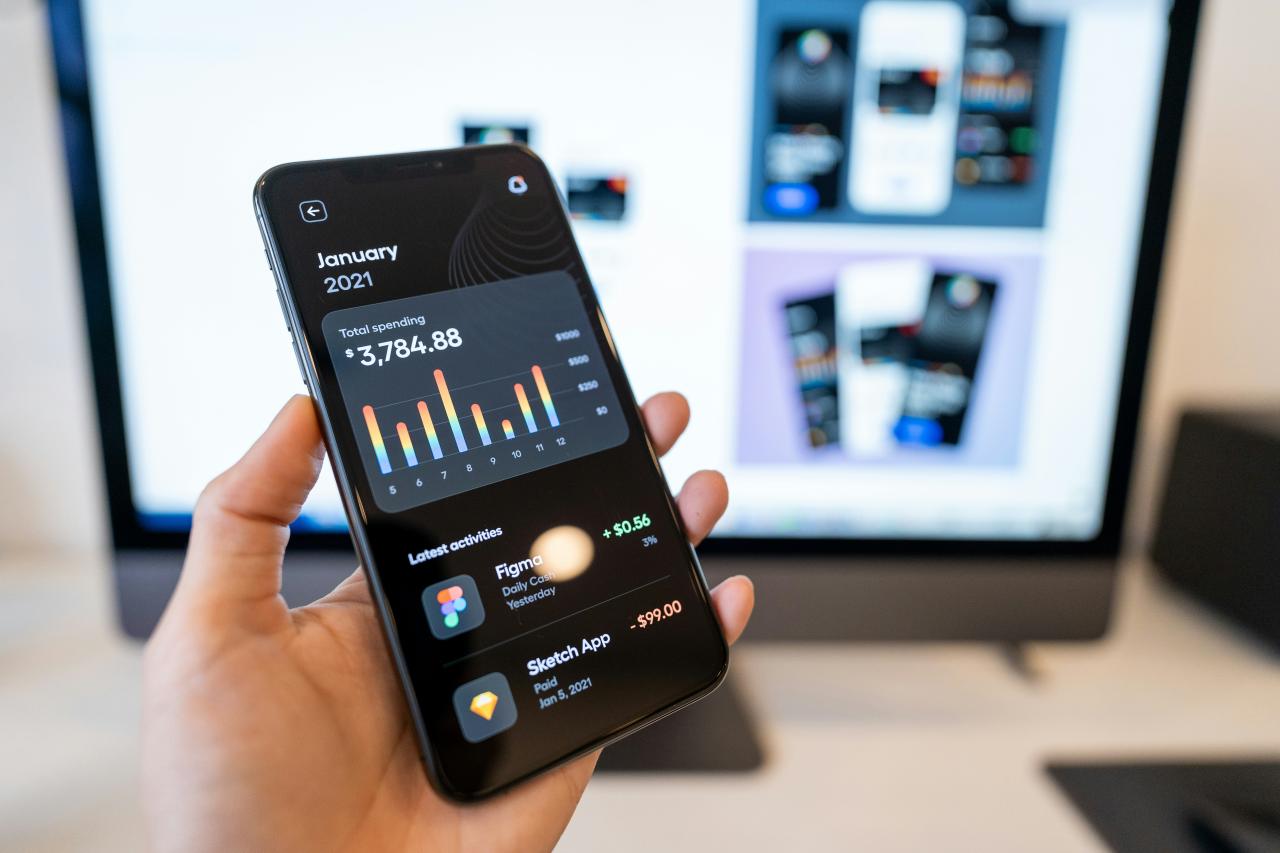
The rapid rise of mobile banking has completely changed how we manage our personal finances every single day. We no longer need to stand in long lines at physical bank branches just to check a balance or send a quick payment to a friend.
However, this incredible convenience brings a new set of digital risks that every smartphone user must take seriously to protect their hard-earned money. Cybercriminals constantly develop new methods like sophisticated phishing and malware to bypass standard security measures on your mobile devices.
If you do not actively defend your digital life, you risk losing sensitive data or even your entire life savings in a matter of seconds. Most people assume their bank handles all the security, but the truth is that your personal habits play the biggest role in staying safe.
This guide provides a deep dive into the most effective ways to harden your mobile banking app against modern threats and unwanted access.
By following these practical steps, you can enjoy the freedom of digital finance without the constant fear of being hacked or scammed. We will explore everything from biometric authentication to the dangers of public networks to give you total peace of mind while banking on the go.
Mastering Your Device Access and Authentication

A. Implementing Biometric Security Features
Most modern smartphones offer fingerprint scanners or facial recognition technology to unlock your most sensitive applications. You should always enable these features within your banking app settings because they provide a much higher level of security than a simple four-digit pin.
Biometrics are incredibly difficult for a remote hacker to replicate, making them your first and strongest line of defense.
Many apps now allow you to set biometric triggers for specific actions, such as authorizing a large transfer or adding a new payee. This ensures that even if someone manages to snatch your phone while it is unlocked, they cannot access your actual funds.
From my perspective, relying on a password alone is a massive gamble in an era of automated “brute-force” attacks. You solve the problem of forgotten or weak passwords by making your own body the key to your financial vault.
I suggest you always re-scan your biometrics if you add a new screen protector or if your phone’s sensor starts acting slow. This ensures that the recognition remains fast and accurate during a moment when you need to check your account quickly.
B. Activating Multi-Factor Authentication Everywhere
Multi-factor authentication (MFA) requires you to provide two or more pieces of evidence before you can log in to your bank account. This usually involves something you know, like a password, and something you have, like a code sent to your mobile phone or an authenticator app.
Even if a criminal steals your login credentials through a data breach, they cannot enter your account without that second, time-sensitive code.
You should avoid using SMS-based codes if possible, as hackers can sometimes use “SIM swapping” to intercept your text messages. Instead, use a dedicated authenticator app or a physical security key for the highest level of protection available.
I believe that turning off MFA is the digital equivalent of leaving your front door wide open while you go on vacation. You solve the problem of credential theft by creating a second hurdle that a hacker simply cannot jump over from a distance.
My advice is to check your bank’s security settings to see if they offer “push notifications” for logins. This allows you to approve or deny a login attempt with a single tap on your screen, giving you instant control over who enters your account.
C. Creating Complex and Unique Passwords
You must never use the same password for your banking app that you use for your social media or email accounts. If a low-security website suffers a leak, hackers will immediately try those same credentials on every major banking platform.
A strong password should be long and include a mix of uppercase letters, lowercase letters, numbers, and special symbols. Using a reputable password manager can help you store these complex codes securely without needing to memorize dozens of different strings.
This allows you to have a unique, thirty-character password for your bank that is virtually impossible for a computer to guess.
In my experience, people pick easy passwords because they fear getting locked out of their own accounts at a bad time. You solve the problem of “password fatigue” by using a manager that syncs across your phone and your laptop.
This allows you to use truly random characters that provide maximum defense against common hacking tools. It turns a major security headache into a simple, one-click process that keeps your money safe from prying eyes.
D. Regularly Updating Your Operating System
Software updates often include critical security patches that fix vulnerabilities discovered by researchers or exploited by hackers in the wild. If you ignore these update notifications, you leave your phone’s “digital doors” unlocked for anyone who knows how to exploit the old code.
You should set your smartphone to download and install system updates automatically during the night when you are not using the device.
This ensures that your phone always has the latest defenses against the newest forms of mobile malware and spyware. Banking apps also release frequent updates to improve their own encryption and fraud detection capabilities.
I think that “remind me later” is the most dangerous button on your entire smartphone screen. You solve the problem of zero-day exploits by keeping your software fresh and fortified at all times.
I suggest you manually check for updates at least once a week if you don’t use the automatic feature. Staying current with your software is the easiest way to stay one step ahead of the criminals who are looking for easy targets with outdated phones.
Defensive Networking Habits for Mobile Users
A. Avoiding Public Wi-Fi for Financial Tasks
Public Wi-Fi networks in coffee shops, airports, and hotels are notorious for being insecure and easily monitored by third parties. A hacker on the same network can use “man-in-the-middle” attacks to intercept the data moving between your phone and the banking server.
You should always switch to your cellular data (5G or LTE) when you need to log in to your bank or make a payment.
Cellular networks are significantly more difficult for casual hackers to sniff or compromise compared to an open Wi-Fi hotspot. If you absolutely must use public Wi-Fi, you should always use a high-quality Virtual Private Network (VPN) to encrypt your traffic.
From my perspective, a free Wi-Fi connection is never worth the risk of a drained bank account. You solve the problem of network snooping by treating every “open” connection as a potential trap set by a criminal.
I suggest you “forget” public networks in your phone’s settings so your device doesn’t automatically reconnect to them without your knowledge. This simple habit keeps your digital tunnel private and ensures that your banking data remains invisible to everyone else in the coffee shop.
B. Using a Trusted Virtual Private Network
A VPN creates a secure, encrypted “tunnel” for your internet traffic, hiding your IP address and your online activities from everyone, including your internet service provider. This is especially important if you travel frequently and need to access your bank from different locations around the world.
However, you should avoid “free” VPN services, as they often sell your data or provide weak encryption that can be easily broken.
Invest in a paid, reputable VPN service that has a strict “no-logs” policy to ensure your privacy remains absolute. A good VPN also protects you from “evil twin” hotspots that are designed to look like legitimate public Wi-Fi.
I believe that a high-quality VPN is a mandatory tool for anyone who takes their mobile security seriously in the modern world. You solve the problem of geographic tracking and data interception by masking your digital footprint completely.
My advice is to set your VPN to connect automatically whenever you leave your home network. This “always-on” protection means you never have to remember to secure your connection because the software does it for you.
C. Disabling Bluetooth and Personal Hotspots
Bluetooth and personal hotspots can sometimes be used as entry points for hackers to gain access to your device if they are left on and discoverable. While “Bluejacking” is less common than it used to be, sophisticated attackers can still use these connections to push malware to your phone.
You should turn off Bluetooth when you are not actively using it for headphones or car connections, especially in crowded public places.
Similarly, make sure your personal hotspot has a very strong, unique password so strangers cannot hitch a ride on your data connection. Keeping these “radios” off also helps to preserve your battery life throughout the day.
In my view, keeping every feature of your phone turned on is like leaving all your windows open while you sleep. You solve the problem of unauthorized local access by only opening the connections you actually need at that moment.
I suggest you use your phone’s “Control Center” to quickly toggle these features off when you enter a busy area like a mall or a train station. This reduces your “attack surface” and makes your phone a much smaller and harder target for nearby hackers.
D. Monitoring Your App Permissions Closely
Many apps ask for permissions they don’t actually need, such as access to your contacts, camera, or location, which can be a privacy risk. You should regularly review the permission settings on your phone and revoke access for any app that seems overreach.
A simple calculator app or a basic game should never have permission to read your text messages or access your storage.
This is important because some malicious apps use these permissions to intercept MFA codes or scrape data from your banking app. Only grant permissions to apps that you trust completely and that have a clear, functional need for that specific data.
I think that most people “blindly” accept permissions just to get an app working as fast as possible. You solve the problem of “app creep” by doing a quick audit of your settings once a month.
I suggest you pay special attention to apps that have “Screen Recording” or “Accessibility” permissions, as these are often used by banking trojans to see what you type. By being stingy with your data, you ensure that your banking app remains an isolated and secure island on your device.
Proactive Monitoring and Fraud Prevention
A. Setting Up Real-Time Transaction Alerts
Most banking apps allow you to receive a push notification or an email every time a transaction occurs on your account. You should set these alerts to trigger for any amount, no matter how small, so you can spot unauthorized activity instantly.
If a criminal tries to “test” your card with a small one-dollar purchase, you will see it on your lock screen and can freeze the card immediately.
This real-time oversight is much more effective than checking your bank statement once a week or at the end of the month. It allows you to take action while the crime is still happening, often preventing larger thefts from occurring.
From my perspective, transaction alerts are the single best way to catch a fraudster in the act before they disappear. You solve the problem of delayed detection by making your phone an active guard that pings you the second your money moves.
I suggest you also set “low balance” alerts so you know if your account is getting close to zero due to hidden fees or automated subscriptions. This level of awareness keeps you in total control of your cash flow and makes it impossible for small leaks to go unnoticed.
B. Utilizing Temporary Virtual Cards
Many digital banks and credit card providers now offer the ability to create “virtual” cards for online shopping. These cards have a different number than your physical card and can be set to expire after a single use or have a very low spending limit.
You should use a virtual card whenever you shop at a new or unfamiliar online store to keep your main account details hidden.
If the merchant’s database is ever hacked, the stolen virtual card number will be useless to the criminals. This creates a powerful layer of “insulation” between your actual bank account and the risky world of online commerce.
I believe that using your “real” card number for every random website is a habit that will eventually lead to trouble. You solve the problem of merchant data breaches by giving out “disposable” information that has no value once the transaction is done.
My advice is to name your virtual cards after the specific store you are using them for. This way, if you get an alert for a “Netflix” card being used at a grocery store, you know exactly which company leaked your data.
C. Learning to Spot Mobile Phishing Attempts
Phishing attacks on mobile phones often come in the form of “Smishing” (SMS phishing) or fake emails that look exactly like they are from your bank. These messages usually contain a “call to action” that creates a sense of urgency, such as telling you your account has been frozen.
You should never click on a link in a text message or email that asks you to log in to your bank account. Instead, always exit the message and open your official banking app directly or type the bank’s URL into your browser manually. Banks will never ask you for your full PIN or password over a text message or a phone call.
In my experience, even tech-savvy people can get fooled by a well-timed and realistic-looking fake alert. You solve the problem of “social engineering” by having a “zero-trust” policy for any incoming message that involves your money.
I suggest you call your bank’s official number from the back of your card if you are ever worried about an alert you received. It only takes a minute to verify the truth, and that minute can save you from a massive financial disaster.
D. Enabling Remote Wipe and “Find My” Services
If your phone is stolen or lost, you need a way to ensure that your private data does not fall into the wrong hands. You should enable the “Find My Device” service on your phone, which allows you to locate, lock, or completely wipe your device from another computer.
If you realize your phone is gone, your first step should be to use this feature to erase all your data remotely. This will delete your banking apps, stored passwords, and personal photos, making the phone a blank slate for the thief.
It is also important to notify your bank immediately so they can put a temporary hold on your accounts until you have a new device.
I think that losing a phone is stressful enough without having to worry about someone hacking your bank account. You solve the problem of physical theft by having a “kill switch” ready to go at any moment.
I suggest you practice logging into the “Find My” website once or twice so you know exactly where to click when the pressure is high. Being prepared for the worst-case scenario is the best way to ensure that a lost phone doesn’t become a lost fortune.
Conclusion

Security for your mobile banking is a continuous process that requires your constant attention and care. You can significantly reduce your risk by simply making a few small changes to your daily habits.
Digital criminals are always looking for the easiest target in the crowd of users. By following these steps, you ensure that your device is too difficult and expensive to hack.
Always trust your gut feeling if a message or a website seems slightly off. It is much better to be overly cautious than to lose your hard-earned savings to a scammer.
Managing your money on your phone is safe as long as you use the right tools. Use biometrics and multi-factor authentication to create a solid wall around your personal data.
The peace of mind that comes with a secure account is worth the small extra effort. You deserve to feel confident every time you open your banking app to check your progress.
Stay updated on the latest security trends and always keep your phone’s software fresh. This simple habit protects you from the newest threats that appear in the digital world.
Your financial future is in your hands, literally, every time you hold your smartphone. Protect it with the same care you would use for a physical safe in your home.

